Funny Cat Sounds - Cat Music,Meow Sounds3.0
Publisher Description

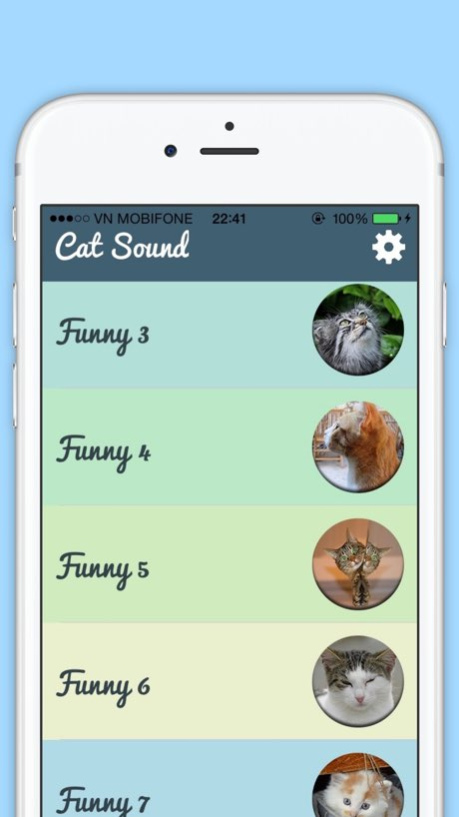

Get collection of different type of angry, kitten, fighting, frustrated, hiss, pleading, begging, hungry and other action cat meow sounds.
All cat sounds are real and fun. It is a great app for cat lovers which is suitable and entertaining for both kids and adults. With these handy sounds, you can always listen to the sounds on the go. There are more than dozens of good quality sounds available to enjoy.
50+ Cat Sounds for your Entertainment with Easy to use Interface.
Some of the great features:
ï High quality Cat sounds
ï Simple and beautiful design
ï Timer - so the app turns off automatically
ï Beautiful background images
Type of Cat Sounds
1. Meow sounds
2. Kitten sounds
3. Funny cat sounds
4. Angry cat sounds
5. Phurring cat sounds
if you have any comment or suggestion please let us know so we can make this app better.
Version History fix size timer dialog 3.0 12/19/2016 1.0 07/30/2016
About Funny Cat Sounds - Cat Music,Meow Sounds
The company that develops Funny Cat Sounds - Cat Music,Meow Sounds is Javed Khan Pathan. The latest version released by its developer is 3.0.
To install Funny Cat Sounds - Cat Music,Meow Sounds on your iOS device, just click the green Continue To App button above to start the installation process. The app is listed on our website since 2026-10-06 and was downloaded 10 times. We have already checked if the download link is safe, however for your own protection we recommend that you scan the downloaded app with your antivirus. Your antivirus may detect the Funny Cat Sounds - Cat Music,Meow Sounds as malware if the download link is broken.
How to install Funny Cat Sounds - Cat Music,Meow Sounds on your iOS device:
- Click on the Continue To App button on our website. This will redirect you to the App Store.
- Once the Funny Cat Sounds - Cat Music,Meow Sounds is shown in the iTunes listing of your iOS device, you can start its download and installation. Tap on the GET button to the right of the app to start downloading it.
- If you are not logged-in the iOS appstore app, you'll be prompted for your your Apple ID and/or password.
- After Funny Cat Sounds - Cat Music,Meow Sounds is downloaded, you'll see an INSTALL button to the right. Tap on it to start the actual installation of the iOS app.
- Once installation is finished you can tap on the OPEN button to start it. Its icon will also be added to your device home screen.
Program Details
System requirements
Download information
Pricing
Version History
version 3.0
posted on 2026-10-06
Version History fix size timer dialog 3.0 12/19/2016 1.0 07/30/2016
version 3.0
posted on 2026-09-04
Version History This app has been updated by Apple to prepare for watchOS 27 compatibility. No new features are included.
fix size timer dialog 3.0 12/19/2016 1.0 07/30/2016
version 3.0
posted on 2026-08-22
Version History This update from Apple will improve the functionality of this app. No new features are included.
fix size timer dialog 3.0 12/19/2016 1.0 07/30/2016
version -
posted on 2020-04-14
version 3.0
posted on 2016-12-19
Dec 19, 2016 Version 3.0
This app has been updated by Apple to display the Apple Watch app icon.
fix size timer dialog
version 3.0
posted on 2016-12-19
Dec 19, 2016 Version 3.0
This app has been updated by Apple to use the latest Apple signing certificate.
fix size timer dialog
version 3.0
posted on 2016-12-19
Dec 19, 2016 Version 3.0
fix size timer dialog
version 3.0
posted on 2016-12-19
This app has been updated by Apple to display the Apple Watch app icon.
fix size timer dialog
version 3.0
posted on 1970-01-01
2016年12月19日 Version 3.0
fix size timer dialog
